
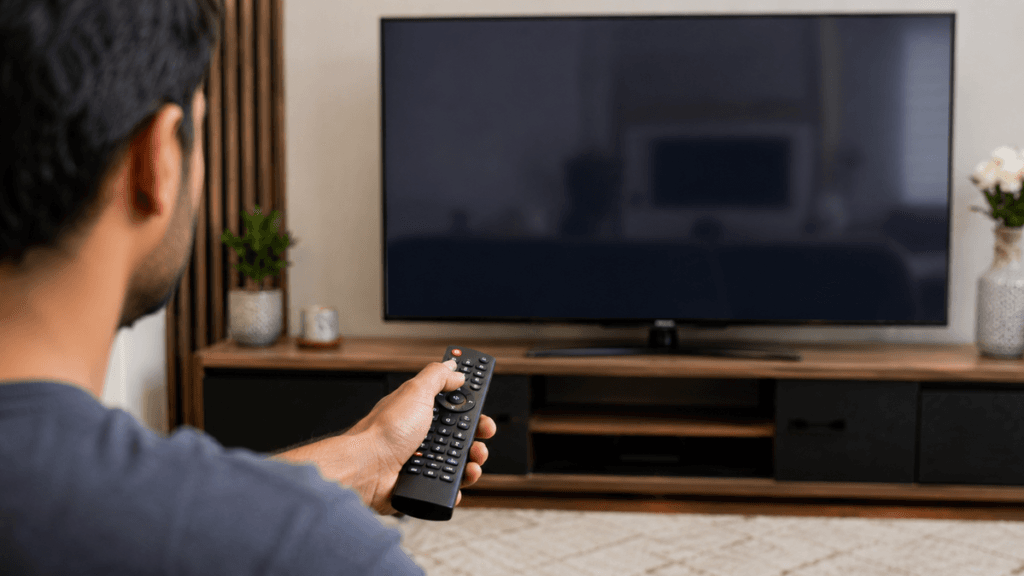
You pick up your Samsung TV remote, press the power button, and nothing happens. Maybe you have to press the buttons several times before the TV reacts, or perhaps the remote has stopped responding altogether. This is a common issue for Samsung TV owners, and we regularly see it during service visits across Pimpri-Chinchwad.
The good thing is that a non-working remote doesn’t always mean you need a replacement. In many situations, the problem can be solved with a few simple checks that take only a few minutes. It could be something as basic as exhausted batteries, a lost Bluetooth connection, dust blocking the IR sensor, or a temporary software issue inside the TV.
At Wisdom Electronics & Computers, we’ve been diagnosing Samsung TV faults in Pimpri-Chinchwad since 2017. During that time, we’ve repaired hundreds of remote-related issues ranging from simple pairing problems to damaged IR receivers on the TV. In this guide, we’ll explain the most common causes, practical fixes you can try at home, estimated repair costs, and situations where professional repair becomes the better option.
Quick Answer
Most Samsung TV remote problems are caused by battery failure, Bluetooth pairing issues, a blocked infrared sensor, or a fault in either the remote or the TV’s IR receiver. Before buying a replacement remote, try the troubleshooting methods explained below. Many customers are able to get their remote working again without spending any money on repairs.
Why Is My Samsung TV Remote Not Working?
When a Samsung TV stops responding to its remote, the fault isn’t always with the remote itself. Sometimes the batteries have simply lost their charge, while in other cases the TV is unable to receive the signal. Identifying the actual cause first can save both time and unnecessary expense.
Some problems are easy enough to fix at home, whereas others need a technician to inspect the TV.
Common reasons your Samsung TV remote may stop working
- Weak or completely drained batteries
- Dust or dirt covering the IR sensor
- Bluetooth pairing has been disconnected (Smart Remote models)
- Physical damage after the remote has been dropped
- Faulty IR receiver inside the TV
- Temporary software issue affecting the TV
- HDMI-CEC (Anynet+) interfering with remote commands
Less common reasons
- Infrared interference from nearby electronic devices
- Strong sunlight falling directly on the TV’s receiver
- Buttons that are sticking because of dirt, dust, or accidental liquid spills
Sometimes the remote may appear faulty, but the actual issue can be related to a TV hardware problem. If your Samsung TV turns on but shows no picture, check our detailed guide on Samsung TV turns on but no picture troubleshooting to understand the possible causes and solutions.
Samsung TV Remote Not Working — Fixes to Try First
It’s always worth trying a few basic checks before assuming the remote has failed. These solutions require very little time and often solve the problem without replacing any parts.
Fix 1 — Check the Batteries First
Battery-related problems remain the number one reason Samsung TV remotes stop working. Even if the remote worked a day earlier, low battery power can suddenly reduce the signal strength.
What to do
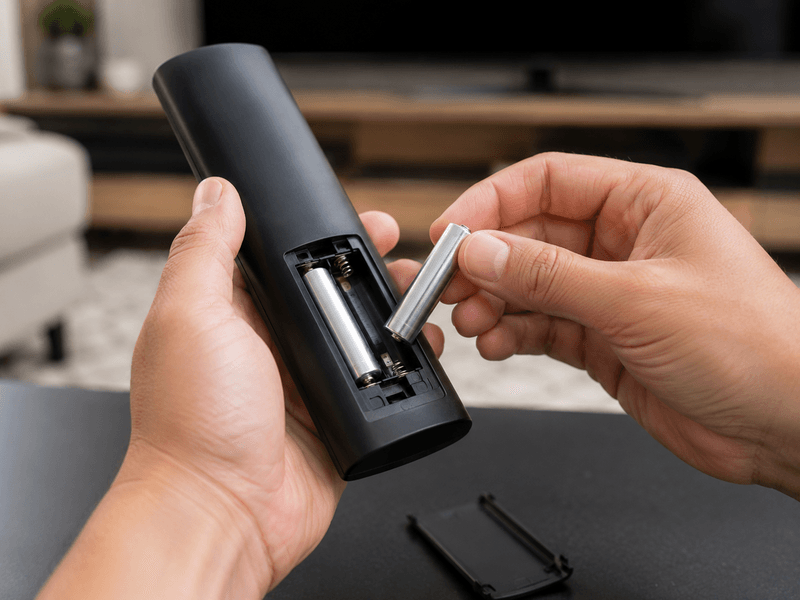
- Remove the battery cover from the back of the remote.
- Take out both old batteries.
- Install a fresh pair of AA or AAA batteries, depending on your remote model.
- Double-check that the positive (+) and negative (−) ends are positioned correctly.
- Try operating the TV again.
Tip: Good-quality batteries usually last longer and provide a more stable signal. Low-cost batteries often lose power quickly and may even leak, damaging the battery terminals inside the remote.
Fix 2 — Clean the Remote and TV Sensor
The infrared signal needs a clear path between the remote and the TV. Dust, fingerprints, or dirt can sometimes weaken or block that signal completely.
Try these steps
- Wipe the small black infrared window on the front of the remote using a soft, dry cloth.
- Clean the TV’s IR receiver, which is normally located near the bottom centre of the screen.
- Remove any decorative items or objects blocking the front of the TV.
- Test the remote again from a normal viewing distance.
This simple cleaning step often restores normal operation if dust is causing the issue.
Fix 3 — Test Whether the Remote Is Sending a Signal
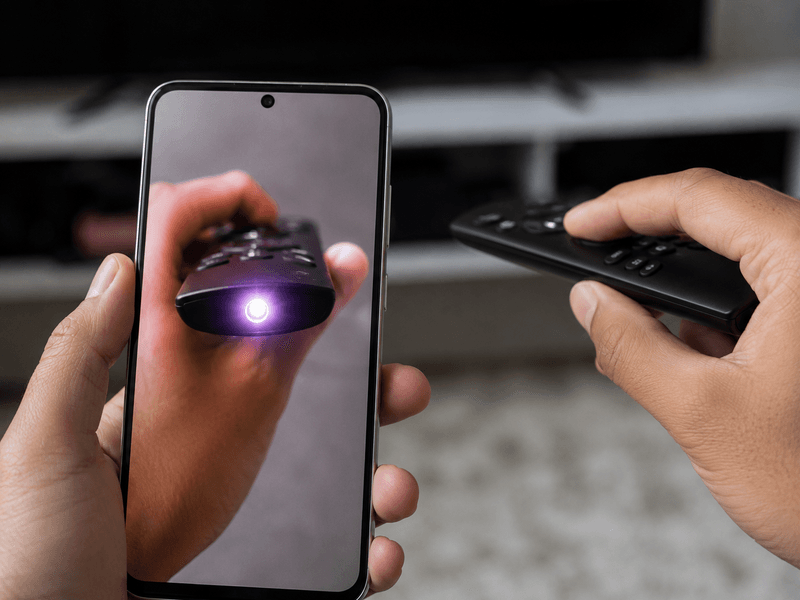
If you’re unsure whether the remote is working, your smartphone camera can help you check it within a few seconds.
Here’s how
- Launch the camera app on your smartphone.
- Aim the front of the remote towards the camera lens.
- Press any button while looking at your phone’s screen.
- Watch for a small flashing purple or white light at the front of the remote.
If you notice the flashing light, the remote is transmitting a signal correctly. In that case, the TV is more likely to have an IR receiver problem.
If there is no visible light at all, the remote itself may have developed an internal fault and could require replacement.
Fix 4 — Pair the Smart Remote Again
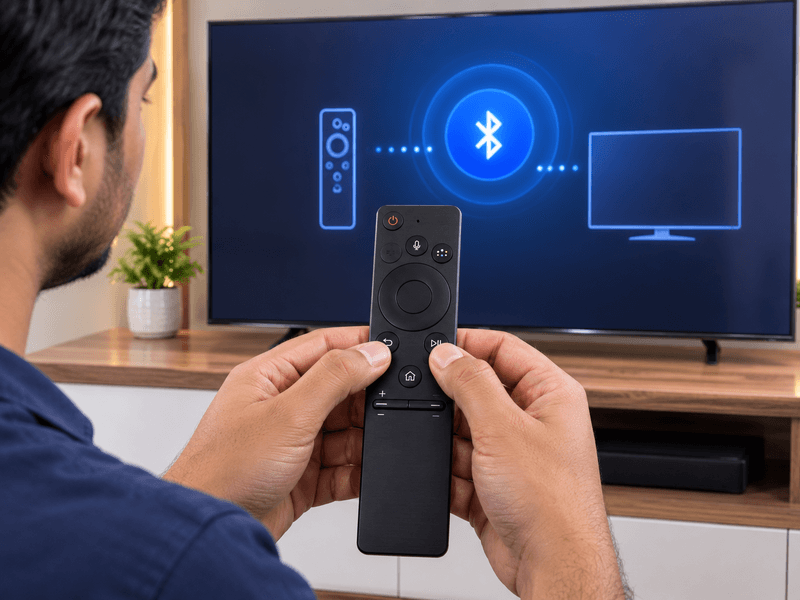
If you’re using a Samsung Smart Remote, it communicates with the TV through Bluetooth instead of relying only on infrared signals. Sometimes this connection gets interrupted after a software update, power outage, or factory reset. When that happens, the remote may look perfectly fine, but none of the buttons will control the TV.
Before thinking about a replacement, reconnect the remote to the TV. The process takes less than a minute and often solves the problem immediately.
Reconnect your Samsung Smart Remote
- Stand close to the TV, ideally within half a metre.
- Aim the remote towards the TV.
- Hold the Return and Play/Pause buttons together for about five seconds.
- Wait until the TV displays a message confirming that the remote has been connected.
- Once the pairing finishes, press a few buttons to make sure the TV responds normally.
If the pairing screen doesn’t appear on your TV, repeat the process using the Home and Back buttons together. Some Samsung TV models use this combination instead.
Service Tip: We’ve seen this issue quite often in Pimpri-Chinchwad after software updates or when customers replace the batteries and assume the remote has failed. In many cases, pairing the remote again is all that’s needed to restore normal operation.
Fix 5 — Restart Your Samsung TV
If the remote appears to be working but the TV isn’t reacting, the issue could be a temporary software freeze inside the television rather than a problem with the remote itself.
Power cycling the TV refreshes the system and often clears minor software glitches.
Follow these steps
- Switch the TV off and unplug it from the wall socket.
- Leave it disconnected for at least 60 seconds.
- Plug the power cable back in.
- Turn the TV on using the physical button located on the TV.
- Check whether the remote responds normally.
Many temporary software issues disappear after a complete restart.
Fix 6 — Eliminate Possible Signal Interference
Infrared remotes rely on a clear signal path. If other electronic devices are sending IR signals nearby, they may interrupt communication between the remote and the TV.
Try this
- Move other remote controls away from the TV.
- Turn off nearby IR-controlled devices if possible.
- Point only the Samsung remote towards the TV.
- Test every button again.
If the TV starts responding normally, another device was likely interfering with the infrared signal.
Fix 7 — Install the Latest TV Software
Software bugs occasionally affect how a Samsung TV communicates with its remote. Updating the firmware can resolve these issues.
To check for updates
- Open Settings using the TV’s physical controls.
- Select Support.
- Choose Software Update.
- Tap Update Now.
- Wait for the installation to finish before testing the remote again.
Keeping the firmware up to date also improves system stability and compatibility.
Fix 8 — Reset the TV to Factory Settings
If none of the earlier troubleshooting methods works, resetting the TV may remove software settings that are preventing the remote from functioning correctly.
Factory reset procedure
- Open Settings → General → Reset.
- Enter your security PIN. If it has never been changed, use 0000.
- Confirm the reset.
- Complete the initial TV setup after the restart.
- Pair and test the remote again.
Since this process erases saved settings, it’s best used only after trying all the other fixes.
Samsung TV Remote Working But TV Not Responding
Sometimes the remote is working perfectly, but the TV still ignores every command. A quick phone camera test can help confirm this.
If the camera shows the remote is transmitting an infrared signal, the fault usually lies inside the TV instead of the remote.
Possible reasons include
- Defective IR receiver
- TV software crash
- HDMI-CEC (Anynet+) conflict
- Main board communication issue
Disable Anynet+ First
Before arranging a repair, disable HDMI-CEC to rule out a software conflict.
Steps
- Open Settings.
- Select General.
- Open External Device Manager.
- Turn Anynet+ (HDMI-CEC) Off.
- Test the remote again.
If disabling Anynet+ solves the issue, no repair is required.
When the IR receiver has failed
If the TV still doesn’t respond after all software checks, the IR receiver may need replacement.
For Samsung TVs in Pimpri-Chinchwad, this repair generally costs between ₹800 and ₹2,500, depending on the model and parts required.
If the TV is receiving remote commands but the screen remains completely black, the issue may not be related to the remote. In such cases, problems like backlight failure or display-related faults can cause a black screen with sound.
You can also read our guide on Samsung TV black screen, but sound works, to learn about common causes, diagnosis methods, and repair options.
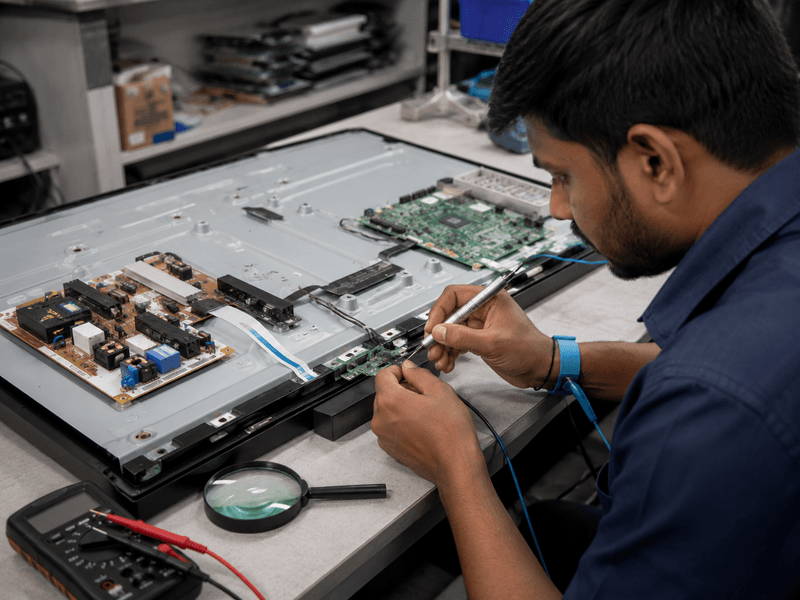
How to Operate Your Samsung TV When the Remote Stops Working
A faulty remote doesn’t mean you have to stop using your TV. There are several practical alternatives until you repair or replace it.
Option 1 — Use the TV Controls
Most Samsung televisions include a joystick or control buttons hidden underneath or behind the screen.
These buttons allow you to:
- Turn the TV on or off
- Adjust the volume
- Change channels
- Open the settings menu
- Switch input sources
Option 2 — Control the TV with SmartThings
If your TV and smartphone are connected to the same Wi-Fi network, Samsung’s SmartThings app can perform almost every function of the original remote.
It lets you change channels, adjust volume, navigate menus, and even use voice commands on supported models.
Option 3 — Buy a Universal Remote
Universal remotes remain one of the easiest temporary replacements.
Across Pimpri-Chinchwad, compatible Samsung remotes are commonly available in electronics stores for around ₹300 to ₹800.
Option 4 — Use Another HDMI Device
If your Samsung TV is connected to a compatible soundbar or set-top box through HDMI, its remote may also control the TV using Anynet+ (HDMI-CEC).
This isn’t available on every setup, but it’s worth trying before buying another remote.
Samsung Smart TV Remote vs Standard Remote — Common Issues
Samsung supplies different types of remotes depending on the TV model. Knowing which one you own makes troubleshooting much easier.
| Feature | Standard Remote | Samsung Smart Remote |
| Connection type | Infrared (IR) | Bluetooth + IR |
| Requires pairing | No | Yes |
| Works without pointing directly at the TV | No | Yes |
| Most common problem | Weak batteries or blocked IR sensor | Bluetooth pairing lost |
| Recommended solution | Replace batteries or clean the sensor | Pair the remote again |
Solar Cell Smart Remote
Many newer Samsung Smart Remotes recharge using a built-in solar panel.
If the remote has remained inside a cupboard or drawer for several days, the battery may simply be discharged.
Leave it under bright sunlight or strong indoor lighting for approximately two hours, then check whether it starts responding.
Things You Should Avoid
While trying to fix your Samsung TV remote, avoid these common mistakes.
- Repeatedly pressing the buttons with excessive force.
- Using poor-quality batteries that discharge quickly or leak.
- Spraying water or cleaning solution directly onto the remote.
- Assuming the television itself has failed before checking the remote.
Taking these precautions can prevent unnecessary damage and save repair costs.
When Should You Replace the Remote?
Buying a replacement remote is usually the better option if you notice any of these signs:
- The smartphone camera test shows no infrared signal.
- Buttons are physically broken.
- Battery contacts have rust or corrosion.
- The remote has suffered water damage.
- Repair costs are higher than the price of another remote.
Samsung Remote Prices in Pimpri-Chinchwad
- Original Samsung Remote: ₹800–₹2,000
- Compatible Replacement Remote: ₹300–₹600
These remotes are commonly available at electronics shops in Kalewadi, Chinchwad, and Akurdi.
If your Samsung TV is also showing other faults, such as vertical lines on screen, black screen, automatic restarting, or no picture, our technicians can inspect the problem.
Samsung TV Repair Cost in Pimpri-Chinchwad, Pune
| Repair | Estimated Cost | Typical Time |
| Battery replacement | ₹50–₹150 | Around 2 minutes |
| New remote | ₹300–₹2,000 | Same day |
| IR receiver replacement | ₹800–₹2,500 | 1–2 hours |
| Main board repair | ₹3,500–₹8,000 | 2–5 hours |
The exact repair cost is confirmed only after a free doorstep diagnosis anywhere in Pimpri-Chinchwad.
Real Repair Examples from Pimpri-Chinchwad
The following repair cases are based on issues we have handled for Samsung TV owners in different parts of Pimpri-Chinchwad. They show how the same symptom can have completely different causes.
Case 1 — Remote Still Not Working After Replacing Batteries (Wakad)
A customer from Wakad contacted us after installing a fresh set of batteries in their Samsung TV remote. Even after changing the batteries, the TV showed no response.
To identify the fault, we checked the remote using a smartphone camera. There was no infrared light coming from the remote, confirming that the internal circuit board had stopped working.
Since repairing the remote wasn’t economical, we suggested a compatible replacement. The customer purchased one for ₹450, and the TV started working immediately without requiring any additional repair.
Case 2 — Smart Remote Lost Connection After Update (Chinchwad)
A Samsung Smart TV owner in Chinchwad noticed that the remote stopped responding shortly after installing a firmware update.
Our inspection showed that the remote itself was in good condition. The Bluetooth pairing had simply been lost during the software update.
After pairing the remote again using the Return + Play/Pause button combination, everything started working normally. The entire job took only a couple of minutes, and no replacement parts were needed.
Case 3 — Remote Working, TV Not Responding (Hinjewadi)
One customer in Hinjewadi reported that every button on the remote appeared to work, yet the TV ignored every command.
We first checked the remote with a smartphone camera and confirmed that it was transmitting an infrared signal correctly.
Further diagnosis revealed that the TV’s IR receiver had failed.
The faulty receiver was replaced during the same visit, restoring full functionality.
Repair Cost: ₹1,800
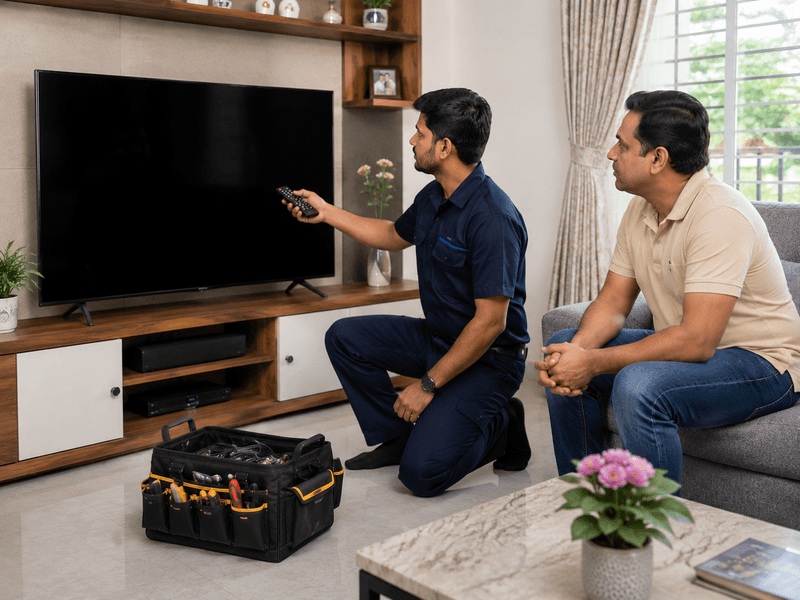
Areas We Serve
Our Samsung TV repair service is available throughout Pimpri-Chinchwad (PCMC), including:
- Kalewadi
- Wakad
- Pimple Saudagar
- Chinchwad
- Akurdi
- Nigdi
- Moshi
- Chikhali
- Ravet
- Baner
- Hinjewadi
- Aundh
- Pimple Nilakh
- Sangvi
- Bhosari
We also provide doorstep service in surrounding areas across Pune.
Why Customers in Pimpri-Chinchwad Choose Wisdom Electronics
Finding a trustworthy TV repair service isn’t always easy. Many customers come to us because they want clear advice and repairs that actually solve the problem instead of unnecessary part replacements.
When you choose Wisdom Electronics, you receive:
- Over 17 years of industry experience, including service at a Sony Authorised Service Centre.
- More than 1,000 Samsung TVs repaired since 2017.
- Free doorstep diagnosis before any repair work begins.
- Genuine Samsung-compatible replacement parts.
- Same-day doorstep service across PCMC whenever possible.
- A 1-year warranty on completed repairs.
- Honest recommendations if replacing the TV makes more financial sense than repairing it.
Frequently Asked Questions
A Samsung remote can stop responding because of weak batteries, Bluetooth pairing issues, a blocked IR sensor, software problems, or an internal hardware fault. Begin with the basic checks before assuming the remote needs replacement.
Stand close to the TV, keep the remote pointed towards the screen, then press and hold the Return and Play/Pause buttons together for around five seconds. Once the pairing message appears, the remote should reconnect automatically.
Use your smartphone camera to see whether the remote is sending an infrared signal.
If no flashing light appears, the remote itself is likely faulty.
If the signal is visible but the TV doesn’t respond, the problem may be inside the TV, such as a damaged IR receiver.
Yes. You can control the TV with its built-in buttons, use the Samsung SmartThings app, or purchase a compatible universal remote from electronics stores in Pimpri-Chinchwad.
An original Samsung remote generally costs between ₹800 and ₹2,000.
Compatible replacement remotes are usually available for ₹300 to ₹600 from electronics shops in Kalewadi and Chinchwad.
Place the remote under direct sunlight or bright indoor lighting for about two hours so the built-in battery can recharge.
If charging doesn’t solve the issue, check the Bluetooth pairing or have the remote inspected.
Yes. Occasionally, a firmware update can disconnect a Samsung Smart Remote from the TV. Pairing the remote again usually restores normal operation.
In most situations, replacing the remote is the more practical and affordable solution.
If the actual problem is the TV’s IR receiver instead of the remote, professional repair is recommended.
Intermittent performance is often caused by weak batteries, dirt covering the IR sensor, or an internal connection beginning to fail.
Replacing the batteries and cleaning both IR sensors should always be your first step.
Yes, we diagnose and replace faulty IR receivers for Samsung TVs across Pimpri-Chinchwad.
Most repairs are completed on the same day, with pricing generally ranging from ₹800 to ₹2,500, depending on the TV model.
People Also Ask
If the remote passes the smartphone camera test but the TV still ignores every command, the issue could be a damaged IR receiver or an Anynet+ (HDMI-CEC) conflict.
Turning off Anynet+ from Settings → General → External Device Manager is a good troubleshooting step before arranging a repair.
Remove the batteries, press each button once to discharge any remaining power, install a fresh set of batteries, and pair the remote again if it’s a Smart Remote.
Yes.
The Samsung SmartThings app allows your smartphone to work as a remote, provided both devices are connected to the same Wi-Fi network.
Conclusion
A Samsung TV remote that stops responding doesn’t automatically mean the remote has failed. In many cases, the issue can be traced to something simple such as depleted batteries, a pairing problem, or a blocked IR sensor. Spending a few minutes on basic troubleshooting can often save the cost of buying a replacement.
If those checks don’t resolve the issue, a detailed diagnosis can identify whether the fault is inside the remote or the TV itself. Repairing only the failed component is usually far more economical than replacing the entire television.
Remote issues are sometimes confused with power-related problems. If your Samsung TV keeps restarting or turns off automatically, the cause may be different, such as a power board issue or overheating
At Wisdom Electronics & Computers, we provide Samsung TV remote and IR receiver repair services throughout Kalewadi, Pimpri-Chinchwad, PCMC, and nearby Pune locations. Our service includes a free doorstep diagnosis, genuine Samsung-compatible parts, same-day repair whenever possible, and a one-year warranty on completed repairs.
If your Samsung TV is also showing other issues like TV screen flickering, black screen, display lines, automatic restarting, or no picture, our technicians can inspect and repair these problems during the same visit.
For expert Samsung TV repair in Pimpri-Chinchwad, call or WhatsApp +91 9765536767.