
Your Sony Bravia turns itself off without warning. It may happen a few minutes after you switch it on, halfway through a programme, or just when you are settling down to watch something.
You switch the TV back on, expecting everything to be fine, but it shuts down again.
That can be incredibly frustrating, especially when the television was working normally until recently. The good news is that a Sony Bravia that keeps turning off doesn’t automatically mean a major hardware failure. Sometimes, the cause is simply a timer, power-saving setting or connected HDMI device.
Other cases can be related to overheating, software problems, the power supply board or another internal component.
This is a problem we regularly come across at Wisdom Electronics & Computers while repairing Sony Bravia TVs across Pune and Pimpri-Chinchwad.
Since 2017, our technicians have diagnosed Sony Bravia shutdown problems across Pune and Pimpri-Chinchwad, including Wakad, Baner and Hinjewadi. Before founding Wisdom Electronics, our founder spent 17 years at a Sony Authorised Service Centre. That experience has given our team practical knowledge of Sony Bravia televisions and their component-level faults.
The important thing is that the same symptom does not always mean the same repair.
One television may have an unwanted Sleep Timer enabled. Another may be overheating because of restricted ventilation. A third could have an unstable power supply following a voltage fluctuation.
This guide explains the common reasons a Sony Bravia keeps turning off, the checks you can safely carry out at home, typical Sony LED TV repair costs in Pune and Pimpri-Chinchwad, and when professional diagnosis is the better option.
Quick Answer
A Sony Bravia TV that keeps turning off can be caused by Sleep Timer or inactivity settings, power-saving features, HDMI-CEC conflicts, software issues, overheating, a failing power supply board or another internal hardware fault.
Start with the simple checks first. Turn off the Sleep Timer and inactivity features, disconnect HDMI devices, check the TV’s ventilation and perform a power reset. If the television continues switching off, the timing and circumstances of the shutdown can provide useful clues about the underlying problem.
A shutdown at a predictable interval can point to a setting, while a TV that gets unusually hot before switching off may have a thermal problem. Immediate or random shutdowns can have several possible causes and may require proper testing.
- Why Does My Sony Bravia TV Keep Turning Off?
- Sony Bravia Turning Off — Settings Fixes to Try First
- Sony Bravia Turns Off After a Few Minutes — What It Means
- Sony Bravia TV Turns Off After Power Cut
- Hardware Problems That Cause Sony Bravia to Switch Off
- How Much Does Sony Bravia TV Repair Cost in Pune & Pimpri-Chinchwad?
- Should You Repair or Replace Your Sony Bravia TV?
- Our Sony TV Repair Process in Pimpri-Chinchwad & Pune
- Frequently Asked Questions
Why Does My Sony Bravia TV Keep Turning Off?
There are two main areas to consider when a Sony Bravia repeatedly shuts down: settings and software on one side, and physical hardware on the other.
Settings-related problems are usually the simplest to rule out. A Sleep Timer, inactivity option, Eco setting or HDMI control feature can sometimes make it appear as though the television has developed a fault.
Hardware problems need more careful diagnosis because several different components can produce similar symptoms.
Start with these settings and software checks because they are the easiest to rule out:
- Sleep Timer accidentally enabled
- Inactivity TV Shutdown enabled
- Eco or Power Saving settings
- HDMI-CEC or Bravia Sync conflicts with connected devices
- Outdated firmware
- A software or system update problem
Possible hardware causes include:
- Failing power supply board
- Overheating or restricted ventilation
- Ageing electronic components
- Loose internal connections
- Faulty remote control sending repeated power commands
- Main board or other internal component faults
Start by thinking about what happens immediately before the TV shuts down.
Is the shutdown happening at roughly the same time every time? Does it remain on for several minutes before becoming unusually hot? Have you noticed it switching off when changing the HMDI source? Did the problem begin after a power cut or voltage fluctuation?
If your television remains powered on with audio playing, but the display stays totally dark, check our guide on Sony Bravia TV Has Sound But No Picture? Common Causes, Possible Solutions & Same-Day TV Repair in Pune & Pimpri-Chinchwad
These details can help narrow down the possible cause before any repair is recommended.
Sony Bravia Turning Off — Settings Fixes to Try First
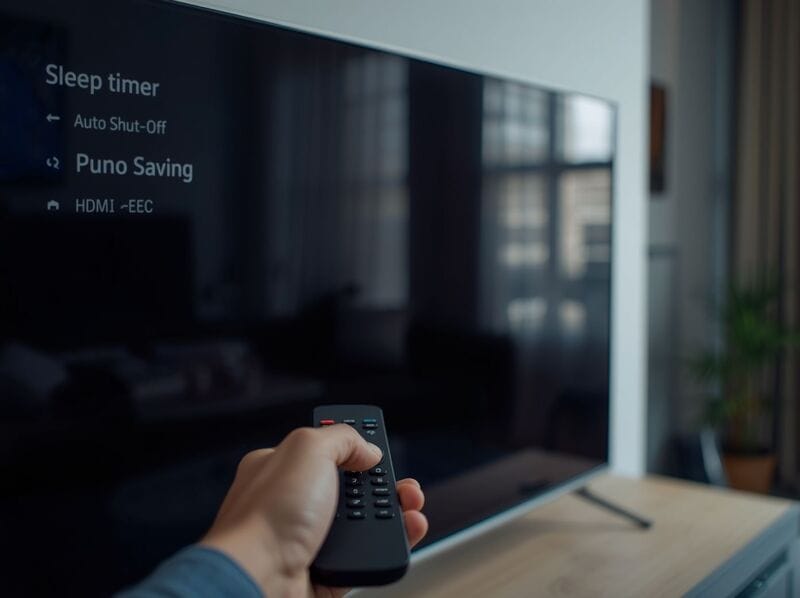
Before assuming that a board or internal component has failed, go through the basic settings checks below. They are simple, safe and do not require you to open the television.
Many Sony Bravia owners can resolve an auto-shutdown problem themselves when the cause is an unwanted timer, power setting or connected device.
Menu names can vary slightly depending on the Sony Bravia model and software version, so use the closest matching option on your TV.
Fix 1 — Perform a Power Reset
A power reset is a useful first step when the TV is behaving unexpectedly.
Turn the Sony Bravia off and unplug it from the mains.
Leave it disconnected for around 60 seconds.
Reconnect the TV and switch it on again.
Then monitor the television for a while.
A power reset can clear a temporary software or power-management issue. If the TV continues switching off, move on to the settings and hardware checks below.
Fix 2 — Disable Sleep Timer
The Sleep Timer is designed to turn the television off automatically after a selected period. It can be useful if you watch TV before going to bed, but it can also be enabled accidentally.
A predictable shutdown is a good reason to check this setting first. If the TV goes off after a similar amount of time each time you watch it, the timer could be responsible.
For some Sony Android TV models:
Go to Settings → Device Preferences → Sleep Timer
Set it to Off.
On older Sony Bravia models, the option may appear under:
Settings → Clock/Timers → Sleep Timer
Set the timer to Off.
Once you have changed the setting, use the television normally for a while.
If it remains on without shutting down, the Sleep Timer may have been responsible.
Fix 3 — Disable Auto Shut-off / Inactivity Timer
Sony Bravia televisions can also switch off when they detect that the TV has been left unused for a certain period.
This can be confusing when a programme is playing, but nobody is using the remote. Depending on the model, the TV may interpret the lack of interaction as inactivity.
Steps may include:
Go to Settings → Device Preferences → Power
Look for Auto Shut-off, Inactivity TV Shutdown or a similarly named option.
Turn the feature off.
After changing the setting, leave the TV running for a reasonable period and see whether the shutdown happens again.
If the TV stays on normally, an inactivity setting may have been involved.
Fix 4 — Disable Bravia Sync (HDMI-CEC)
Connected HDMI equipment is another possibility.
A set-top box, soundbar, streaming device or gaming console can communicate with the television through HDMI-CEC. Sony calls this feature Bravia Sync.
When HDMI-CEC is enabled, compatible devices can send commands to one another. In some situations, a connected device can cause unexpected power behaviour.
Try this:
Go to Settings → External Inputs → Bravia Sync Settings
Turn Bravia Sync off.
Then disconnect your HDMI devices and test the television on its own.
If the TV stops switching off, reconnect the devices one at a time. This can help identify whether a particular set-top box, soundbar, streaming device or console is involved.
Fix 5 — Check Power Saving / Eco Mode
Sony Bravia televisions have several power-management features designed to reduce energy consumption and manage standby behaviour.
If your TV tends to switch off after a period of inactivity, check these settings before assuming that an internal component has failed.
Depending on the model, you may find options under:
Settings → Device Preferences → Power
or a similar Power/Eco menu.
Look for settings such as:
- Auto Shut-off
- Idle TV Standby
- Power Saving
- Eco settings
Adjust or disable the relevant options and then test the TV again.
If the television remains on normally, the shutdown may have been related to a power-management setting.
Fix 6 — Update the Firmware
The software running on your Sony Bravia controls many of the television’s functions. An outdated or unstable software version can sometimes result in freezing, restarting or unexpected shutdowns.
To check for an update, look under a menu such as:
Settings → Device Preferences → About → System Software Update
Select the software update option if one is available.
Allow the update to complete fully.
Do not switch the TV off during the update process. Keep the television connected to a stable power supply while the update is taking place.
Menu names and locations vary between Sony Bravia generations, so use the software-update option available for your specific model.
Fix 7 — Factory Reset the Sony Bravia
A factory reset is more drastic than the earlier checks, so it is better left until the simpler solutions have been tried.
If the timers, power settings, HDMI devices and software checks have not helped, a reset can rule out certain corrupted settings or software-related problems.
For some Sony Android TV models:
Go to Settings → Device Preferences → Reset
Select Factory Data Reset.
Confirm the reset and allow the TV to restart.
Note: A factory reset erases saved apps, accounts and Wi-Fi settings.
Once the reset is complete, you will need to set the television up again.
If the Sony Bravia still switches off after a factory reset, a hardware-related fault becomes more likely.
Sony Bravia Turns Off After a Few Minutes — What It Means
The point at which the television shuts down can provide a useful clue.
A TV that turns off at almost the same interval is not necessarily experiencing the same problem as a television that remains on for 10 or 15 minutes and then becomes unusually hot.
The shutdown pattern can help narrow down the possibilities:
- Shutdown Pattern | Most Likely Cause
- Turns off after exactly 30/60/90 minutes | Sleep Timer or another timed setting
- Turns off after no activity | Auto Shut-off / Inactivity Timer
- Turns off immediately after switching on | Possible power supply or main board fault
- Turns off after 10–15 minutes and feels unusually hot | Possible overheating
- Turns off randomly at different times | Power, main board, software or other internal fault
- Turns off when changing inputs | Possible Bravia Sync / HDMI-CEC conflict
- Turns off after a power cut | Possible power supply or other power-related fault
Use this table as a starting point rather than a final diagnosis.
If your screen goes completely blank or stays dark upon switching it on, see our detailed guide on Sony Bravia TV Black Screen for common causes and fixes.
A technician will also consider the TV model, age, ventilation, previous repair history, recent power fluctuations and any other symptoms before identifying the fault.
Sony Bravia TV Turns Off After Power Cut
- Power-related problems can appear after an outage even when the television initially seems to recover normally.
- You may find that the TV switches on after the power returns but then begins restarting or shutting down repeatedly.
- A sudden power cut or voltage fluctuation can sometimes affect the power supply or other internal components of a Sony Bravia.
- If the problem began immediately after an outage, the power supply board or main board may have been affected.
- Try switching the TV off and disconnecting it from the mains for around 60 seconds before reconnecting it.
- If the television continues to shut down, avoid repeatedly forcing it to restart and arrange a proper diagnosis.
Tip: A good-quality surge protector or suitable voltage protection can help reduce the risk associated with electrical fluctuations.
Repeated shutdowns following a power event should not be ignored. Testing can establish whether the fault is limited to the power section or whether another component has also been affected.
Hardware Problems That Cause Sony Bravia to Switch Off
When the settings and software checks do not solve the problem, it is time to consider the hardware.
A Sony Bravia contains several electronic boards and components that work together. A problem in the power section, main board or an internal connection can cause the television to shut down unexpectedly.
1. Failing Power Supply Board
The power supply board converts incoming mains electricity into the different voltage levels required by the television.
If the board develops a fault, its output may become unstable. The TV may then switch itself off rather than continue operating with an unreliable power supply.
Possible symptoms include:
- TV turns off immediately or within seconds of switching on.
- TV clicks repeatedly before turning off
- Shutdowns become more frequent over time
- TV works for a while before beginning to switch off regularly
Power supply board repair or replacement typically costs ₹2,000–₹5,000 in Pune and Pimpri-Chinchwad.
A technician should test the board before deciding whether it needs repair or replacement. In some cases, component-level repair is possible. In others, replacing the board may be the more practical option depending on the fault and availability of parts.
2. Overheating
Excessive heat can also cause a television to shut itself down.
A Sony Bravia may switch off as a protective response if internal temperatures become excessive. Restricted airflow, dust and the surrounding environment can all contribute to heat buildup.
Common causes include:
- Blocked ventilation slots on the back or sides of the TV
- TV placed inside a closed cabinet
- Dust buildup restricting airflow
- Hot surroundings
- Direct sunlight falling on the television
- Insufficient clearance around the TV
How to check for overheating
After the TV shuts off, carefully check whether the rear panel feels unusually hot.
Excessive heat can point towards an overheating problem, although it does not confirm the fault by itself.
How to prevent overheating
- Keep ventilation openings clear
- Avoid placing the TV inside a tightly enclosed cabinet
- Leave sufficient space around the television for airflow
- Keep the TV away from direct sunlight and heat sources
- Clean dust from accessible ventilation areas
If the television repeatedly becomes very hot, simply waiting for it to cool down is not a long-term solution.
Internal dust can restrict airflow and cause components to operate at higher temperatures.
Internal cleaning to remove dust buildup costs ₹500–₹1,500 in Pimpri-Chinchwad.
3. Ageing Components on the Main Board
Electronic components can deteriorate as a television gets older.
Ageing capacitors and other power-related components can contribute to unstable operation, delayed startup or random shutdowns. However, the exact cause needs to be confirmed through testing.
Possible symptoms include:
- TV shuts off randomly during use
- TV takes longer to switch on
- Shutdowns become more frequent
- TV behaves differently when it becomes warm
- Visible component damage if the board is inspected professionally
Capacitor replacement costs ₹1,500–₹4,000 depending on the number of faulty components and the model.
Do not open the television yourself simply to inspect the capacitors.
Internal TV components can retain electrical charge even after the mains cable has been removed. Proper testing should be carried out using suitable equipment by someone experienced with television repair.
4. Sony Bravia Remote Sending Repeated Signals
Not every unexpected shutdown is caused by the television itself.
A remote control with a stuck power button or an internal fault can repeatedly send commands to the TV.
How to check
Remove the batteries from the remote and use only the physical power button on the television for a day or two.
If the TV stops switching off, the remote may be responsible.
Fix
Replace the remote batteries first.
If the problem continues with fresh batteries, the remote may need replacement.
This is one of the easiest checks to perform and can save you from arranging an unnecessary internal repair.
5. Loose Internal Connections
Modern Sony Bravia televisions contain several internal cables and connectors between different boards and display-related components.
A loose or intermittent internal connection can sometimes cause unstable operation or unexpected shutdowns.
Because checking these connections involves opening the television, it is safer to leave the inspection to an experienced technician.
Sony Bravia TV Keeps Turning Off — What NOT To Do
- Do not keep switching the TV on and off repeatedly
If a power-related component is failing, repeatedly forcing the television to start may put additional stress on the affected circuitry.
If the TV continues shutting down, switch it off and arrange a proper diagnosis if the basic checks do not resolve the issue.
- Do not block the ventilation slots.
Avoid placing objects over the television or installing it so close to a wall that airflow is restricted.
This is particularly important when the TV is installed inside a cabinet.
Adequate clearance allows heat to escape and can reduce the risk of thermal problems.
- Do not ignore repeated shutdowns.
A television that only shuts down occasionally may develop a more frequent fault if the underlying problem continues.
Early diagnosis can sometimes prevent a relatively small fault from developing into a more expensive repair.
- Do not open the TV back panel yourself.
Sony Bravia TVs contain components that can retain electrical charge even after the power cable has been removed.
Opening the television without suitable equipment and experience creates a safety risk.
There is also a risk of damaging delicate ribbon cables, connectors or the display panel.
- Do not assume the TV needs replacing.
Many Sony Bravia shutdown faults can be repaired, depending on the condition of the TV, the failed component and parts availability.
A replacement decision should come after diagnosis. If one repairable component is responsible, replacing an otherwise good television may be unnecessary.
Sony Bravia Models That Commonly Experience Auto-Shutdown
The same shutdown symptom can occur across different Sony Bravia generations, including:
- Sony Bravia X75K, X80K and X90K — shutdowns can be linked to power, thermal, software or other faults
- Sony Bravia W660G and W830C — older sets may develop power-related or component faults
- Sony Android TV models — software-related restarting or shutdown problems can occur
- Sony Bravia 4K HDR series — power or main board faults may appear following electrical fluctuations
- Older Sony Bravia Full HD models — ageing components can contribute to unstable operation
The model alone does not determine the fault.
Two televisions from the same series can behave differently because of their age, usage pattern, ventilation, previous repairs and exposure to voltage fluctuations.
How Much Does Sony Bravia TV Repair Cost in Pune & Pimpri-Chinchwad?
The following figures are indicative repair ranges. The actual cost depends on the Sony Bravia model, the exact fault, component availability and whether a component can be repaired or needs replacement.
Problem | Estimated Repair Cost | Typical Repair Time
Settings fix (Timer/Eco/Bravia Sync) | Free — DIY | 5–10 minutes
Remote replacement | ₹400–₹1,000 | Same day
Internal cleaning (overheating) | ₹500–₹1,500 | 1 hour
Capacitor replacement | ₹1,500–₹4,000 | 1–3 hours
Power supply board repair | ₹2,000–₹5,000 | 2–4 hours
Main board repair | ₹3,500–₹8,000 | 2–5 hours
All costs are estimates. The final repair cost is confirmed after diagnosis at your home in Pune or Pimpri-Chinchwad.
A proper inspection should take place before any repair or replacement is recommended.
For example, a power supply fault may be repairable at the component level rather than requiring a complete board replacement. Similar possibilities can exist with certain component and connection problems.
Should You Repair or Replace Your Sony Bravia TV?
A television that switches off unexpectedly does not automatically mean it needs to be replaced.
If the screen is in good condition and the fault is limited to a repairable component, repairing the TV can often be a practical choice.
Repair may make sense when:
- The display panel is in good condition
- The fault is limited to a repairable component
- Parts are available for the specific model
- The repair cost is reasonable compared with replacing the TV
- The television otherwise meets your needs
Replacement may be worth considering when:
- Multiple major components have failed
- The television is significantly older
- The panel or display has a serious fault
- Suitable replacement parts are unavailable
- Repair costs approach the price of a suitable replacement TV
At Wisdom Electronics & Computers, we always give an honest assessment. If repair does not make financial sense, we will tell you before starting any work.
The decision should take several factors into account: the television’s age, condition of the panel, repair cost, parts availability and the likely reliability of the repaired TV.
A good-quality display with a single power-related fault can still provide years of useful service.
Real Repair Examples from Pune & Pimpri-Chinchwad
Case 1 — Sony Bravia Turning Off After 15 Minutes, Wakad
A customer in Wakad reported their 50-inch Sony Bravia X80K switching off automatically after approximately 15 minutes of use.
After diagnosis, overheating due to dust restricting internal airflow was identified. Internal cleaning and thermal servicing were completed in under 2 hours.
Cost: ₹900.
The television has continued working normally since the repair.
Case 2 — Random Shutdown After Power Cut, Chinchwad
A Sony Bravia W-series TV in Chinchwad began shutting off randomly after a power outage during monsoon season.
Diagnosis found a damaged power supply board caused by a voltage spike.
The power supply board was replaced the same day.
Cost: ₹3,200.
A 1-year warranty was provided.
Case 3 — TV Turns Off Immediately, Hinjewadi
A customer in Hinjewadi reported their Sony Android TV switching off within seconds of being switched on.
Testing identified two faulty capacitors on the main board.
The component-level repair was completed the same day.
Cost: ₹2,600.
These examples show why the timing and circumstances of a shutdown are useful during diagnosis.
The three televisions had a similar complaint, but the underlying causes were different. One involved heat and dust, one followed a power event, and the third involved faulty components on the main board.
That is why replacing a board simply because the TV switches off is not a sensible approach without testing first.
Our Sony TV Repair Process in Pimpri-Chinchwad & Pune
Step 1 — Book a Home Visit
Call or WhatsApp Wisdom Electronics at +91 9765536767.
Tell us when and how often your Sony Bravia turns off — whether it happens immediately, after a few minutes, or randomly.
This information helps the technician understand the behaviour before arriving and can make the diagnostic process more focused.
Step 2 — Same-Day Technician Visit
Our technician arrives at your home in Pimpri-Chinchwad, Wakad, Chinchwad, Baner, Hinjewadi, or anywhere across PCMC and Pune within 2–4 hours.
With doorstep service, you do not have to remove a large television from its wall mounting or arrange transport simply to get the fault checked.
Step 3 — Free Diagnosis
We test the power supply board, main board, settings, remote and thermal performance at your home, with no diagnosis charge.
The purpose is to identify the actual reason for the shutdown rather than changing parts based purely on the symptom.
Step 4 — Transparent Quote
Before any repair begins, we explain what is causing the shutdown and provide a clear price.
There are no hidden charges.
You can then decide whether you want to proceed with the repair.
Step 5 — Repair with Model-Suitable Replacement Parts
Replacement components are selected according to the Sony Bravia model and the fault identified during diagnosis.
Many common power supply and component-level repairs can be completed the same day, depending on the fault and availability of the required part.
Step 6 — 1-Year Warranty
Every repair comes with a 1-year warranty on both parts and labour.
This gives you extra reassurance after the repair and reflects our confidence in the quality of the work.
Areas We Serve
We repair Sony Bravia TVs with auto-shutdown issues across:
Kalewadi, Wakad, Pimple Saudagar, Chinchwad, Akurdi, Nigdi, Moshi, Chikhali, Ravet, Baner, Hinjewadi, Aundh, Pimple Nilakh, Sangvi, Bhosari, and all areas of Pimpri-Chinchwad (PCMC).
We also provide doorstep Sony TV repair across Pune.
Whether your television started shutting down after a power cut, becomes unusually hot after running for some time, or turns off within seconds of starting, our technicians can inspect the issue at your doorstep.
Why Pune Families Trust Wisdom Electronics for Sony TV Repair
- 17 years at Sony Authorised Service Centre before founding Wisdom Electronics
- Experience across Sony Bravia models, from older W-series sets to newer 4K and OLED televisions
- 1,000+ Sony TVs repaired since 2017
- Free doorstep diagnosis before any repair charge
- High-quality replacement parts selected according to the Sony Bravia model and repair requirement
- Same-day service across Pimpri-Chinchwad and Pune
- 1-year warranty on all repairs
- Honest assessment — we tell you if repair is not worth it
Our approach is straightforward: diagnose the television first, explain what has gone wrong, and then recommend the repair that actually makes sense.
Not every auto-shutdown problem requires a board replacement.
Some TVs only need a settings change. Others may need cleaning, a component-level repair or a power-related repair. Treating every shutdown as the same fault can lead to unnecessary expense.
Frequently Asked Questions
The common possibilities include Sleep Timer, Auto Shut-off settings, Bravia Sync HDMI-CEC conflicts, power-related faults, overheating or software problems. Start with the basic settings and power-reset checks before arranging a repair.
Check Settings for Sleep Timer, Auto Shut-off, Inactivity TV Shutdown and power-saving options. The exact menu path varies by Sony Bravia model and software version. If the TV continues shutting down after these checks, it may need further diagnosis.
If your Sony Bravia turns off after 10–15 minutes and the TV feels unusually hot, overheating is one possible cause. However, power supply and other hardware faults can produce similar symptoms. Make sure the ventilation areas are clear and arrange a diagnosis if the shutdown continues.
Yes. A power cut or voltage fluctuation can sometimes affect the power supply or other internal components, resulting in repeated shutdowns or restarting. If the problem began immediately after an electrical event, the TV should be properly diagnosed before continued use.
Power supply board repair typically costs ₹2,000–₹5,000, while capacitor replacement can cost around ₹1,500–₹4,000. Settings-related issues can often be resolved without a repair charge. The final cost depends on the model and confirmed fault.
It is better not to continue using a TV that repeatedly shuts down without identifying the cause. If overheating or a power-related hardware fault is involved, continued operation may put additional stress on the affected components. Basic troubleshooting is fine, but persistent shutdowns should be diagnosed.
Remove the batteries from the remote and use the physical power button on the TV. If the television stops turning off, replace the remote batteries and test it again. If the problem continues, the remote itself may need replacement.
Prolonged excessive heat can put additional stress on electronic components and may contribute to hardware problems over time. If the TV repeatedly becomes unusually hot and shuts down, check the ventilation and have the underlying cause diagnosed rather than continuing to use it normally.
Many common Sony Bravia faults can be diagnosed and repaired the same day, depending on the model, fault and availability of the required part. For doorstep service in Pune and Pimpri-Chinchwad, the technician can confirm the expected repair time after diagnosis.
We repair a wide range of Sony Bravia televisions, including X-series, W-series, Android TV, OLED and 4K HDR models across Pune and Pimpri-Chinchwad. The exact repair depends on the model and the confirmed fault.
People Also Ask
Repeated power cycling can be caused by a power-related hardware fault, software issue or another internal problem. Start with a power reset and basic settings checks. If the TV continues restarting, professional diagnosis can identify the actual cause.
Yes. If Bravia Sync (HDMI-CEC) is enabled, a connected device such as a set-top box, soundbar or gaming console can send power commands to your Sony Bravia. Try disabling Bravia Sync and disconnecting HDMI devices to see whether the problem stops.
Yes. Depending on the model, Sony Bravia TVs can have an Inactivity TV Shutdown or similar power-management feature that switches the TV off after a period of inactivity. The exact setting and menu path vary between models.
Conclusion
A Sony Bravia that keeps switching off can be frustrating, but the symptom does not automatically point to a major hardware failure.
Start with the simple checks: perform a power reset, check the Sleep Timer and inactivity settings, review Eco or power-saving options, disconnect HDMI devices and check for available software updates.
If the TV continues to shut down after these steps, the next stage is proper hardware diagnosis.
Power supply boards, overheating, ageing components and internal connections can all produce similar symptoms. That is why testing the television before replacing a board or other component is important.
At Wisdom Electronics & Computers in Kalewadi, Pimpri-Chinchwad, we diagnose Sony Bravia shutdown problems across PCMC and Pune, with doorstep diagnosis, same-day repair where possible, model-suitable replacement parts and a 1-year warranty on repairs.
Still having trouble with your Sony Bravia turning off? Our technicians are ready to help — same day, at your doorstep in Pune and Pimpri-Chinchwad.
For Sony TV repair in Pune and Pimpri-Chinchwad, call or WhatsApp us at +91 9765536767.
If your Sony Bravia is also showing no picture, showing a black screen, or displaying lines on the screen, our expert technicians can diagnose and repair all issues in a single visit.