
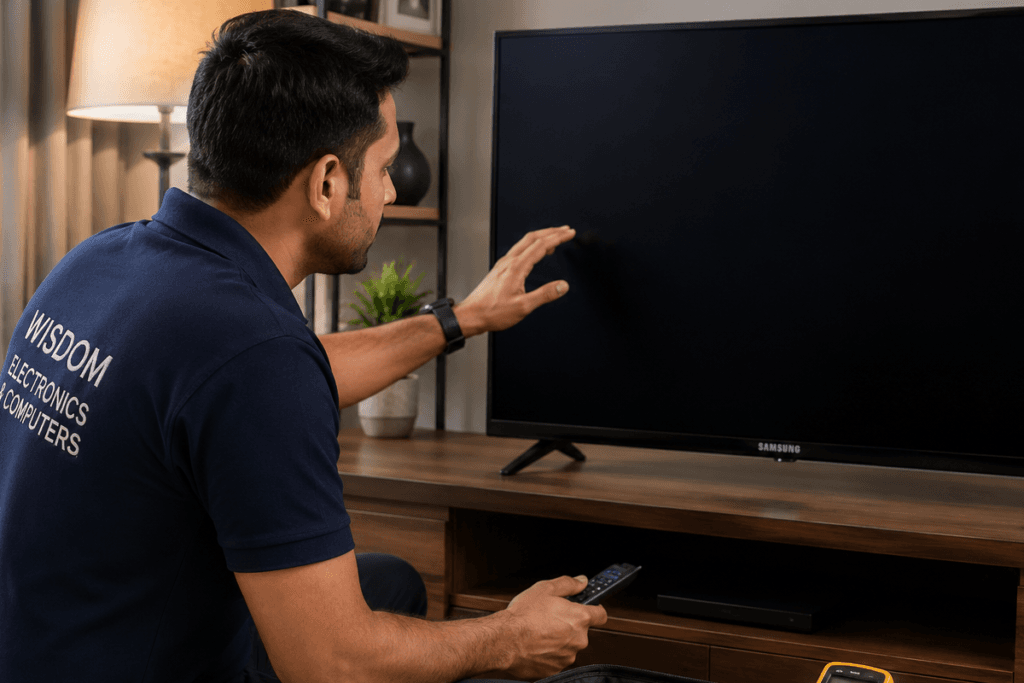
If your Samsung TV keeps turning off on its own — whether after a few minutes, during a programme, or immediately after switching on — you are not alone. Among the Samsung TV issues our technicians handle most frequently in Pimpri-Chinchwad, unexpected auto shutdown is one of the most common.
The good news is that most cases of a Samsung TV switching off automatically are caused by software settings or a single failing component — not the entire television. Many can be fixed at home without any professional help.
This guide covers every possible reason your Samsung TV keeps shutting down, step-by-step fixes you can try at home, and when professional repair in Pimpri-Chinchwad is the right call.
Since 2017, our technicians have diagnosed and repaired thousands of Samsung TVs for customers across Pimpri-Chinchwad, gaining hands-on experience with almost every auto-shutdown issue. From simple settings issues to complex power supply and main board failures, we’ve seen almost every auto-shutdown problem. This guide is based on the issues our technicians encounter during real customer repairs.
Quick Answer
A Samsung Smart TV that powers off unexpectedly is usually caused by Sleep Timer or Eco settings, a power supply issue, overheating, a software glitch, or a failing main board. Start with the software fixes below — most users resolve the issue without needing a technician.
- What Causes a Samsung TV to Turn Off Automatically?
- Samsung TV Shuts Down Randomly — Software Fixes to Try First
- What Does It Mean When Your Samsung TV Turns Off After a Few Minutes?
- Hardware Problems That Cause Samsung TV to Switch Off
- Samsung TV Repair Cost in Pimpri-Chinchwad, Pune
- Should You Repair or Replace Your Samsung TV?
- Our Samsung TV Repair Process in Pimpri-Chinchwad
- Frequently Asked Questions
What Causes a Samsung TV to Turn Off Automatically?
There are two categories of causes — software/settings issues and hardware failures.
Software causes are more common and easier to fix:
- Sleep Timer accidentally enabled
- Anynet+ (HDMI-CEC) causing conflicts
- Energy Saving or Eco Sensor settings
- Auto Power Off feature enabled
- Outdated firmware
Hardware causes require professional diagnosis:
- Failing power supply board
- Overheating due to blocked vents
- Capacitor failure on main board
- Loose internal connections
- Damaged remote sending signals
Samsung TV Shuts Down Randomly — Software Fixes to Try First
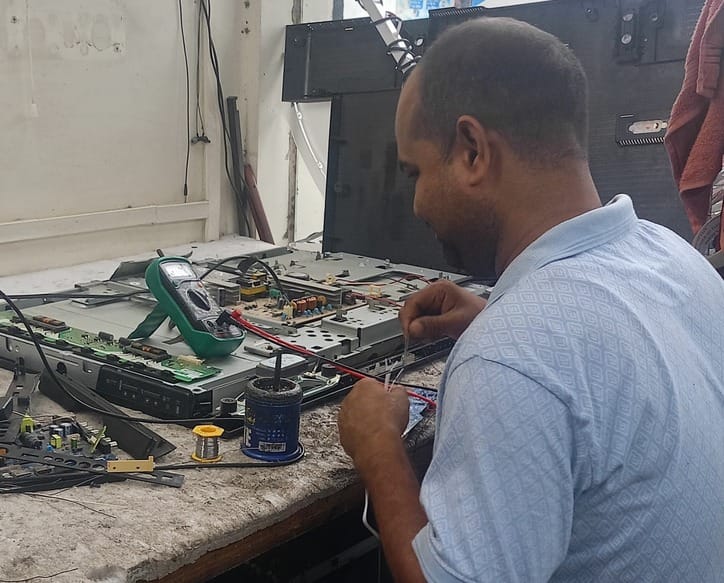
Before assuming a hardware fault, work through these settings fixes. Many Samsung TV owners in Pimpri-Chinchwad resolve this issue in under 10 minutes.
Fix 1 — Disable Sleep Timer
The Sleep Timer automatically switches the TV off after a set time. If someone accidentally enabled it, your TV will turn off every night at the same time.
Steps:
- Press Menu on your remote
- Go to System → Time → Sleep Timer
- Set it to Off
- Save and exit
Fix 2 — Disable Auto Power Off
Many Samsung Smart TVs include an Auto Power Off feature designed to save energy by shutting the TV down after a period of inactivity.
Steps:
- Go to Settings → General
- Find Auto Power Off or Standby Mode Enhancement
- Turn it Off
Fix 3 — Disable Anynet+ (HDMI-CEC)
Anynet+ allows connected HDMI devices to control your Samsung TV. Sometimes a connected device — like a cable box or gaming console — sends a shutdown signal to the TV.
Steps:
- Go to Settings → General → External Device Manager
- Find Anynet+ (HDMI-CEC)
- Turn it Off
- Disconnect all HDMI devices and test the TV alone
If the TV stops turning off after disconnecting HDMI devices, one of your connected devices is sending shutdown signals.
Fix 4 — Disable Energy Saving Mode
Samsung TVs have several power-saving features that can cause unexpected shutdowns.
Steps:
- Go to Settings → General → Eco Solution
- Disable:
- Energy Saving Mode
- Auto Power Off
- Eco Sensor
- Save settings
Fix 5 — Update the Firmware
Outdated firmware can cause random shutdowns and software glitches.
Steps:
- Open the Settings menu, select Support, and then choose Software Update.
- Select Update Now
- Wait for the update to complete
- Do not switch off the TV during the update
Fix 6 — Factory Reset the TV
If none of the above settings fixes work, a factory reset clears all corrupted software settings.
Steps:
- Go to Settings → General → Reset
- Enter your PIN (default: 0000)
- Confirm the reset
- Set up the TV again after the restart
Note: Factory reset erases saved Wi-Fi, apps, and custom settings.
What Does It Mean When Your Samsung TV Turns Off After a Few Minutes?
The timing of the shutdown gives important clues about the cause:
| Shutdown Pattern | Most Likely Cause |
| Turns off after exactly 30/60/90 minutes | Sleep Timer enabled |
| Turns off after no activity | Auto Power Off enabled |
| Turns off immediately after switching on | Power supply fault |
| Turns off after 10–15 minutes of use | Overheating |
| Turns off randomly at any time | Main board or capacitor issue |
| Turns off when changing channels | Remote sending double signals. |
| Turns off only with HDMI devices connected | Anynet+ conflict |
Use this table to identify your specific situation before attempting fixes.
Can a Power Cut Cause a Samsung TV to Keep Turning Off?
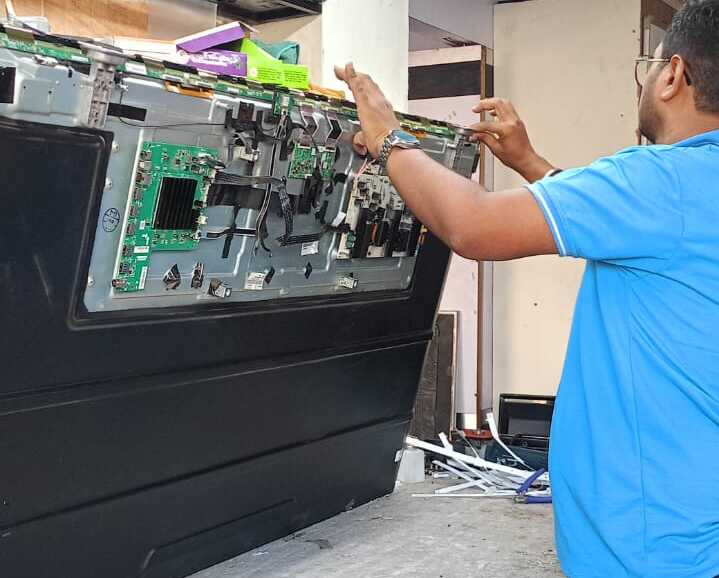
A sudden power cut or voltage fluctuation can sometimes damage internal components of your Samsung TV, causing it to shut down repeatedly after power is restored.
If your TV started turning off automatically after a power outage in Pimpri-Chinchwad, the power supply board or main board may have been affected by a voltage spike.
In such cases, unplugging the TV for a few minutes and restarting it may help. If the problem continues, professional diagnosis is recommended.
Tip: Use a good-quality surge protector or voltage stabilizer to protect your Samsung TV from future power fluctuations — especially during monsoon season in Pune.
Hardware Problems That Cause Samsung TV to Switch Off
If all software fixes fail, the cause is likely a hardware component. Here are the most common hardware faults:
1. Failing Power Supply Board
The power supply board converts electricity into the voltage levels needed by the TV’s components. When it starts failing, it can no longer maintain stable power — causing random shutdowns.
Symptoms:
- TV turns off immediately or within seconds of switching on
- TV clicks repeatedly before turning off
- Shutdown happens more frequently over time
- TV works fine for hours, then starts shutting off
Power supply board repair or replacement typically costs ₹2,000–₹5,000 in Pimpri-Chinchwad.
2. Overheating
Samsung TVs have a built-in thermal protection system that automatically shuts the TV down when the internal temperature exceeds a safe limit.
Common causes of overheating:
- Blocked ventilation slots
- TV placed inside a cabinet with no airflow
- Dust buildup inside the TV
- Damaged internal fan (in older models)
- Hot environment — especially during Pune summers
How to check:
After the TV shuts off, carefully feel the back panel. If it is very hot to touch, overheating is likely the cause.
Prevention:
- Ensure at least 10cm of space around all sides of the TV
- Clean dust from ventilation slots regularly
- Avoid placing the TV in direct sunlight or near heat sources
If your TV switches off unexpectedly and later develops screen flickering, the issue may indicate failing backlights or power components.
3. Capacitor Failure on Main Board
Capacitors are small components on the main board that store and regulate electrical charge. Over time — especially in older Samsung TVs — capacitors can swell or leak, causing unstable power delivery and random shutdowns.
Symptoms:
- TV shuts off randomly during use
- TV takes longer to turn on over time
- TV shuts off more frequently in hot weather
- Bulging or leaking components visible on the main board
Capacitor replacement costs ₹1,500–₹4,000 depending on the number of faulty capacitors.
If the TV powers on but the display never appears, read our guide on Samsung TV turns on but no picture.
4. Remote Control Sending Repeated Signals
A stuck or faulty power button on the remote control can continuously send shutdown signals to the TV.
How to check:
Remove the batteries from the remote and use the physical buttons on the TV for a day. If the TV stops turning off, the remote is the problem.
Fix:
Replace the remote batteries first. If the problem continues, replace the remote.
5. Loose Internal Ribbon Cables
Loose connections inside the TV can cause intermittent power loss to components, resulting in unexpected shutdowns.
This requires professional inspection and is not recommended as a DIY repair.
In some cases, the same hardware failure can also cause vertical or horizontal lines on the screen.
Samsung TV Repair Cost in Pimpri-Chinchwad, Pune
| Problem | Estimated Repair Cost | Typical Repair Time |
| Settings fix (Sleep Timer, etc.) | Free — DIY | 5–10 minutes |
| Remote replacement | ₹300–₹800 | Same day |
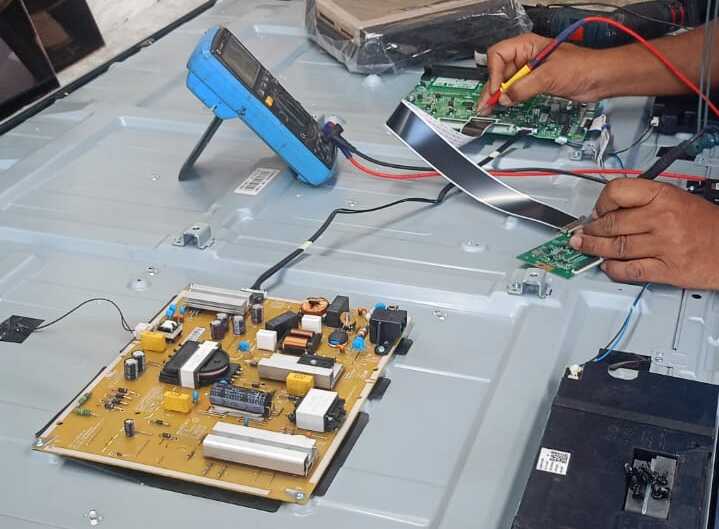
| Power supply board repair | ₹2,000–₹5,000 | 2–4 hours |
| Capacitor replacement | ₹1,500–₹4,000 | 1–3 hours |
| Main board repair | ₹3,500–₹8,000 | 2–5 hours |
| Internal cleaning (overheating) | ₹500–₹1,500 | 1 hour |
All costs are estimates. Final repair cost confirmed after free diagnosis at your home in Pimpri-Chinchwad.
Samsung TV Turns off by itself— What NOT To Do.
Many Samsung TV owners accidentally make the problem worse. Avoid these common mistakes:
Do not keep switching the TV on and off repeatedly.
If the TV is shutting down due to a power supply fault, repeated power cycling stresses the component further and can cause complete failure.
Do not cover the TV ventilation slots.
Blocking airflow causes overheating and repeated shutdowns. Never place objects on top of the TV or push it flush against the wall.
Do not ignore the problem.
A TV that turns off occasionally will turn off more frequently over time. Ignoring the issue can lead to more expensive repairs over time. Also, avoid opening the TV yourself, as internal components can remain electrically charged even after unplugging.
Do not open the TV back panel yourself.
Power supply boards retain electrical charge even after unplugging. Opening the TV without proper equipment is dangerous.
Do not assume the TV needs replacing.
Most Samsung TVs that keep turning off are fully repairable at a fraction of the cost of a new television.
Should You Repair or Replace Your Samsung TV?
Repair makes sense when:
- TV is less than 8 years old
- Only one component has failed
- The repair is usually worthwhile when the estimated cost is significantly lower than buying a comparable new TV.
- Problem started suddenly — not gradually over years
Replacement may be better when:
- Multiple components have failed
- TV is more than 10 years old
- Repair cost exceeds ₹15,000
- Replacement parts are unavailable
At Wisdom Electronics & Computers, we always give you an honest assessment — we only recommend repair when it genuinely saves you money.
Samsung TV Models That Commonly Experience Auto Shutdown
We see this issue frequently in:
- Samsung Crystal 4K UHD series
- Samsung Neo QLED (QN85, QN90)
- Samsung Smart TV Tizen models
- Samsung The Frame TV
- Samsung QLED Q60, Q70, Q80 series
- Older Samsung Full HD LED models
Our Samsung TV Repair Process in Pimpri-Chinchwad
Step 1 — Book a Home Visit
Call or WhatsApp Wisdom Electronics at +91 9765536767. Describe when and how often your Samsung TV turns off automatically.
Step 2 — Same-Day Technician Visit
In most cases, our field technician can visit homes across Kalewadi, Wakad, Chinchwad, Baner, Hinjewadi, and nearby PCMC areas within a few hours of your booking.
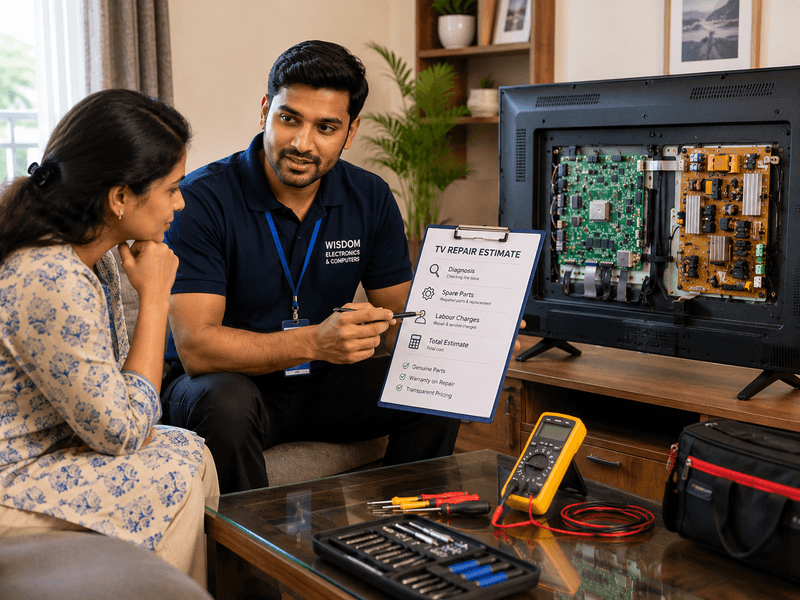
Step 3 — Free Diagnosis
We test the power supply board, main board, settings, and thermal performance — completely free of charge.
Step 4 — Transparent Quote
Before any repair begins, we explain exactly what is causing the shutdowns and give you a clear price—no hidden charges.
Step 5 — Repair with Genuine Parts
All repairs use genuine Samsung-compatible parts. Most power supply and capacitor repairs are completed the same day.
Step 6 — 1-Year Warranty
Every repair comes with a 1-year warranty on both parts and labour.
Areas We Serve
We repair Samsung TVs across:
Kalewadi, Wakad, Pimple Saudagar, Chinchwad, Akurdi, Nigdi, Moshi, Chikhali, Ravet, Baner, Hinjewadi, Aundh, Pimple Nilakh, Sangvi, Bhosari, Katraj and all areas of Pimpri-Chinchwad (PCMC).
Real Repair Examples from Pimpri-Chinchwad
Case 1 — TV Turning Off After 15 Minutes, Wakad
A customer in Wakad reported their Samsung 50-inch Crystal UHD TV turning off automatically after 15 minutes of use. Diagnosis confirmed overheating due to dust buildup blocking internal vents. Internal cleaning and thermal pad replacement completed in 1 hour. Cost: ₹800. TV has been working perfectly since.
Case 2 — Random Shutdown, Chinchwad
A Samsung QLED TV in Chinchwad was shutting off randomly — sometimes after 2 minutes, sometimes after 2 hours. Diagnosis found two swollen capacitors on the main board. Capacitor replacement was completed the same day. Cost: ₹2,800. 1-year warranty provided.
Case 3 — TV Shuts Off Immediately, Hinjewadi
A customer in Hinjewadi reported their Samsung Smart TV turning off within seconds of switching on. The power supply board had failed due to a voltage spike during a power outage. A new power supply board was installed the same day. Cost: ₹3,500.
Why Pimpri-Chinchwad Families Trust Wisdom Electronics
- 17+ years of experience — including 17 years at Sony Authorised Service Centre
- 1,000+ Samsung TVs repaired since 2017
- Free diagnosis before any repair charge
- Genuine Samsung-compatible parts only
- Same-day doorstep service across PCMC
- 1-year warranty on all repairs
- We recommend repairs only when they offer genuine value. If replacing the TV is the more practical option, we’ll tell you upfront.
Frequently Asked Questions
The most common causes are Sleep Timer, Auto Power Off settings, Anynet+ HDMI-CEC conflicts, power supply failure, or overheating. Start with the software fixes in this guide before calling a technician.
Q2. How do I stop my Samsung TV from turning off automatically?
Go to Settings → General → Eco Solution and disable Auto Power Off and Energy Saving Mode. Also check Settings → System → Time → Sleep Timer and turn it off.
Turning off after exactly 10–15 minutes usually indicates overheating. Ensure proper ventilation around the TV and clean dust from the vents. If the problem continues, internal cleaning by a technician may be needed.
Yes. Voltage spikes during power outages can damage the power supply board or main board, causing repeated shutdowns. A professional diagnosis can identify and repair the affected component.
Power supply board repair costs ₹2,000–₹5,000. Capacitor replacement costs ₹1,500–₹4,000. Settings-related issues are resolved free of charge. All repairs include a free diagnosis at your doorstep.
Not recommended. If the cause is a failing power supply or overheating, continued use can damage other components. Get it diagnosed early to prevent a more expensive repair.
Remove the batteries from the remote and use only the physical buttons on the TV. If the TV stops turning off, replace the remote batteries or get a new remote.
Yes — prolonged overheating can damage the main board, T-Con board, and display panel. Samsung’s thermal protection shuts the TV down to prevent damage, but repeated overheating events can cause permanent component failure over time.
Most repairs — including power supply board replacement and capacitor repair — are completed the same day at your home within 2–4 hours of booking.
Yes — we repair all Samsung models, including QLED, Neo QLED, Crystal UHD, Smart TV, The Frame, and older LED models across Pimpri-Chinchwad and Pune.
A software update can sometimes introduce temporary bugs or corrupt system files, causing your Samsung TV to turn off unexpectedly. Try restarting the TV, checking for a newer firmware update, or performing a factory reset. If the issue started immediately after the update and persists, the problem may require professional diagnosis.
Yes. A damaged HDMI cable or a faulty connected device can trigger unexpected shutdowns, especially if Anynet+ (HDMI-CEC) is enabled. Disconnect all HDMI devices and test the TV on its own. If the problem disappears, reconnect each device one at a time to identify the faulty cable or device.
A factory reset can fix auto-shutdown issues caused by corrupted settings, software glitches, or firmware conflicts. However, it will not resolve hardware problems such as a failing power supply board, overheating, or a faulty main board. If your Samsung TV continues turning off after a factory reset, it is best to have it professionally diagnosed.
People Also Ask
This usually indicates a power supply board fault or a software loop caused by corrupted firmware. A factory reset may resolve software issues. If the problem continues, professional diagnosis of the power supply board is recommended.
Yes. If Anynet+ (HDMI-CEC) is enabled, a connected device like a cable box or gaming console can send shutdown signals to your Samsung TV. Disabling Anynet+ in Settings → General → External Device Manager usually resolves this.
Yes — Samsung TVs have an Auto Power Off feature that switches the TV off after 4 hours of inactivity by default. This can be disabled in Settings → General → Eco Solution → Auto Power Off.
Conclusion
A Samsung TV switches off automatically, which is frustrating — but in most cases, it is completely fixable. Start with the software settings fixes in this guide. If the problem continues after trying all software solutions, a hardware component like the power supply board or capacitors may need professional attention.
If your Samsung TV keeps shutting down unexpectedly, our team in Kalewadi provides doorstep diagnosis and repair services for customers throughout Pimpri-Chinchwad and the Pune region. Free doorstep diagnosis, same-day repair, genuine parts, and 1-year warranty on every job.
If your Samsung TV still keeps turning off after trying these fixes, avoid repeated restarts because they may worsen hardware damage. Our technicians provide free doorstep diagnosis across Pimpri-Chinchwad and Pune, helping you identify the exact problem before any repair begins.
If your Samsung TV develops a black screen while the sound continues to work, professional diagnosis is recommended.
For Samsung TV repair in Pimpri-Chinchwad, call or WhatsApp us at +91 9765536767.