
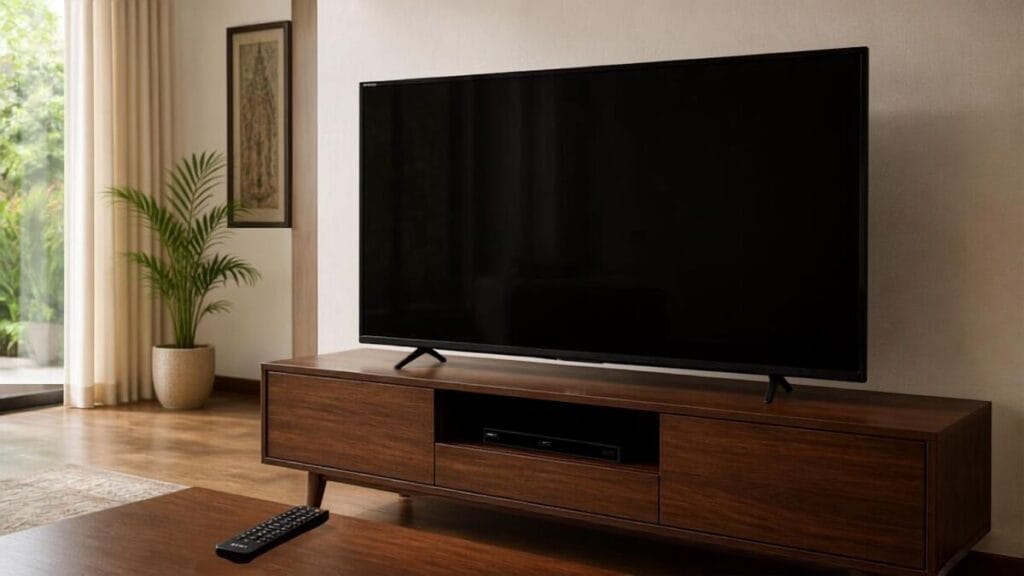
Your Sony Bravia TV turns on normally. You can hear the sound, the indicator light appears to be working as usual, and the remote may still respond. But when you look at the screen, there is no visible picture—only darkness.
It is natural to think that the TV has stopped working completely or that the display panel has been damaged. The actual problem is not always that serious. Our team at Wisdom Electronics & Computers frequently diagnoses this no-picture problem for Sony TV owners across Pune and Pimpri-Chinchwad. When a Sony Bravia has sound but no picture, the fault can often be limited to one particular component while the remaining sections of the TV continue functioning.
Since 2017, our technicians have handled Sony Bravia TVs with the same problem in Pune, Pimpri-Chinchwad, Wakad, Baner, Hinjewadi, and nearby areas. Before starting Wisdom Electronics, our founder worked for 17 years at a Sony Authorised Service Centre. That practical experience helps us identify the actual faulty section instead of assuming the most expensive part needs replacement.
In this guide, you will find out why a Sony Bravia TV may have sound but no picture, which checks you can safely try at home, what common repairs may cost in Pune, and when it is better to call a technician.
Quick Answer
When a Sony Bravia continues playing audio while the screen stays dark, the fault may be linked to the LED backlight, T-Con board, main board, or another display-related component. In many situations, the display panel itself is not damaged.
A quick check called the torch test can sometimes help determine whether an image is still being produced behind the dark screen. When the panel is intact, repairing the affected component can be considerably cheaper than replacing the complete television.
- What Can Cause Sound to Work While the Sony Bravia Screen Stays Blank?
- Sony Bravia No Picture — The Torch Test
- Sony Bravia TV No Picture — Fixes to Try at Home
- Sony Bravia TV No Picture — What NOT To Do
- Sony Bravia TV No Picture Repair Cost in Pune & Pimpri-Chinchwad
- Should You Repair or Replace Your Sony Bravia TV?
- Our Sony TV Repair Process in Pimpri-Chinchwad & Pune
- Frequently Asked Questions
What Can Cause Sound to Work While the Sony Bravia Screen Stays Blank?
The fact that sound is still working provides an important clue. If you can hear TV channels, apps, or other audio from your Sony Bravia, the television has not failed. It is still receiving power, and at least some parts of its internal system are operating.
The problem may be in the section responsible for generating the image, transferring video information, or lighting the display. Depending on the Sony Bravia model and the exact symptoms, the cause could involve the backlight, T-Con board, main board, power section, or even an external input device.
Finding the exact fault is important because the cost can vary significantly. Repairing a backlight problem is very different from replacing a display panel, so the TV should be properly diagnosed before deciding which part needs to be replaced.
1. LED Backlight Failure — Most Common Cause
For many Sony Bravia LCD TVs, one of the first areas we inspect is the backlight system.
Several LED strips are fitted behind the display panel. These LEDs provide the illumination needed to make the picture visible. If the backlight stops working, the TV may still create the image internally. Without enough light behind the panel, though, the screen can look completely black.
Why this matters:
A completely dark screen does not necessarily mean that the display panel is damaged.
When the backlight is faulty but the panel is still producing an image, replacing the LED strips can restore the picture without the expense of replacing the entire screen.
Symptoms:
- The display appears completely dark even though sound is working normally
- A faint image becomes visible when a torch is shone on the screen
- The TV suddenly lost its picture after working normally
- The screen gradually became dim before turning completely black
- The problem appeared after long periods of regular use
- The issue became noticeable during Pune’s hot summer months
Sony Bravia LCD backlight strips can weaken gradually over time. Regular usage and heat can place additional stress on electronic components. In places such as Pune and Pimpri-Chinchwad, TVs that have been used frequently for several years can eventually develop this type of backlight problem.
Repair cost: ₹1,500–₹4,000 — one of the most affordable Sony Bravia repairs.
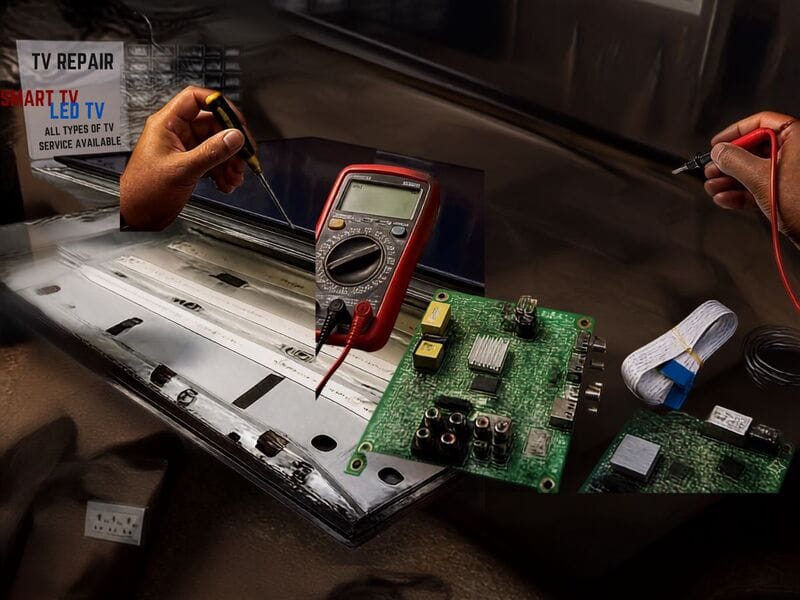
2. Faulty T-Con Board
A faulty T-Con board can also cause a Sony Bravia TV to have sound without showing a picture.
T-Con stands for Timing Control board. It helps manage and send image information to the display. If this board develops a fault, the display may not receive the information required to produce a proper picture.
The TV can still power on, play audio, and respond to certain commands, which is why this type of problem can be confusing for the owner.
Symptoms:
- The screen remains dark as soon as the TV is switched on
- No picture appears on any selected input
- Sound and other basic TV functions continue working
- The problem started suddenly
- A faint horizontal pattern may occasionally be visible during the torch test
Repair cost: ₹2,500–₹6,000
3. Main Board Failure
The main board controls many of the important functions inside a Sony Bravia TV. A fault in this section does not always cause the entire television to stop working.
In some situations, audio may continue as normal while the video signal is not processed correctly or does not reach the display section properly.
Symptoms:
- Sound works normally, but there is no visible picture
- The TV keeps restarting
- The screen turns dark shortly after switching on
- The menu does not appear when the TV buttons are pressed
- The problem started after a power surge or voltage fluctuation during monsoon season
- The indicator light behaves differently from its normal pattern
Repair cost: ₹3,500–₹8,000
4. HDMI or Input Source Issue
Before assuming that there is an internal fault, it is worth checking the selected input source.
Sometimes the Sony Bravia itself is functioning correctly, but the connected device is not sending a video signal. A loose HDMI connection, damaged cable, wrong input selection, or faulty external device can all make it appear as though the TV has developed a no-picture fault.
Symptoms:
- The picture is missing only on one input
- Another source displays normally
- The problem began after connecting a new device
- The issue occurs with only one HDMI device
Fix:
Press the Input button on your Sony remote and check the available sources, including HDMI 1, HDMI 2, AV, and Live TV.
If the picture appears after changing to another source, the TV itself may not be the problem. The fault could be related to the original input, connected device, or HDMI cable.
5. Sony Android TV Software Crash
Some Sony Android TV models can also experience temporary software-related issues.
A system crash or an interrupted software update can occasionally affect the display while audio continues playing in the background.
Symptoms:
- The picture disappeared after a recent software update
- The Sony logo appears briefly before the screen becomes dark
- The television repeatedly turns on and off
- Pressing buttons on the remote produces no visible response on the screen
Sony Bravia No Picture — The Torch Test
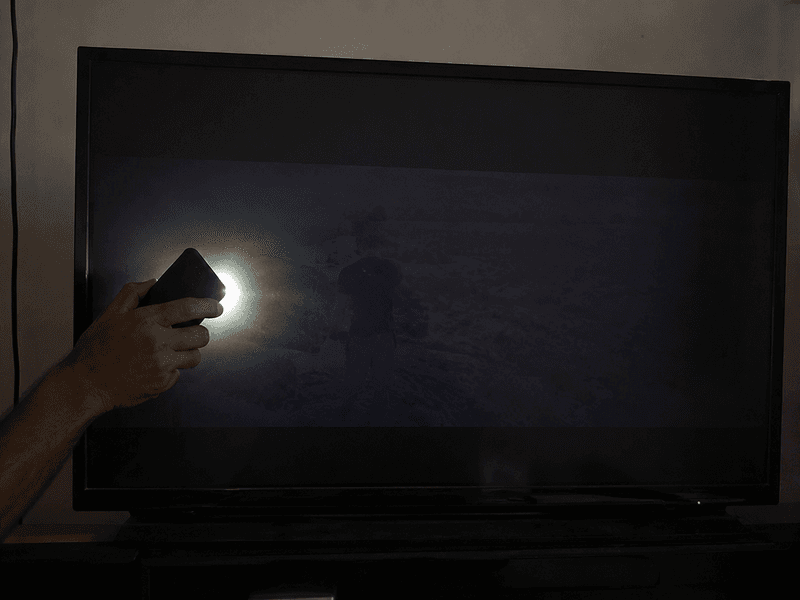
The torch test is a quick and simple check that can provide a useful clue before arranging a repair visit.
It usually takes less than a minute and can help you see whether the TV is still producing an image behind the dark display.
How to perform the torch test:
- Switch on your Sony Bravia TV
- Make the room as dark as possible
- Turn on a torch or phone flashlight
- Hold the light close to the screen at an angle
- Look carefully for a faint image, menu, channel picture, or moving shapes
What the results mean:
Faint picture visible — The TV may still be generating an image, which can indicate a possible LED backlight fault. The display panel may still be intact, and replacing the backlight can often bring the picture back.
No picture visible at all — The fault could involve the T-Con board, main board, another internal component, or, in some cases, the display panel itself. A technician will need to test the television to confirm the actual cause.
The torch test is not a replacement for a complete technical diagnosis. It can still provide a useful starting point and help you avoid immediately assuming that the panel has failed.
Sony Bravia TV No Picture — Fixes to Try at Home
Before booking a technician visit, there are a few basic checks you can safely try. These steps may resolve a temporary software or connection-related issue.
Step 1 — Power Cycle the TV
Disconnect the Sony Bravia TV from the wall socket.
Press and hold the physical power button on the television for around 30 seconds. Keep the TV unplugged for 2 full minutes, then reconnect the power and switch it on again.
This process may clear a temporary system issue on some Sony Android TV models.
Step 2 — Check the Input Source
Press the Input or Source button on the Sony remote.
Check each available option, including HDMI 1, HDMI 2, AV, and Live TV. If one source shows a picture and another does not, the problem is more likely related to the external cable or connected device than the TV panel.
Step 3 — Disconnect All HDMI Devices
Remove all HDMI cables connected to the TV.
Switch on the Sony Bravia without any external device attached and check whether the Sony home screen or menu becomes visible.
If the picture returns, reconnect each device one at a time. This can help identify whether a particular HDMI cable or external device is causing the problem.
Step 4 — Soft Reset for Sony Android TV
Press and hold the Power button on the Sony remote for around 5 seconds.
If a restart option appears, select it and allow the television to restart completely. After it switches back on, check whether the picture has returned.
Step 5 — Factory Reset if Supported by Your Model
If the screen is too dark to use the normal on-screen menu, some Sony Bravia models can be reset using physical buttons on the TV.
The exact button combination can vary depending on the Sony Bravia model and year. Before attempting a physical-button reset, check the instructions for your specific model.
If your TV supports a physical reset method:
- Unplug the Sony Bravia TV.
- Follow the button combination recommended for your specific model.
- Reconnect the power while following the model-specific reset instructions.
- Wait for the TV to restart completely.
Note: A factory reset erases saved settings, apps, accounts, and Wi-Fi information. If these five steps do not restore the picture, the possibility of an internal hardware fault becomes stronger, and professional diagnosis may be needed at your home in Pune or Pimpri-Chinchwad.
Sony Bravia TV No Picture — What NOT To Do
Avoid repeatedly powering the TV on and off when the picture is already missing.
If a component such as the backlight or power supply is already failing, repeatedly forcing the television to start may place additional stress on the affected part.
Do not open the TV back panel yourself.
Televisions contain electrical components and capacitors that can remain dangerous even after the power cable has been removed. Opening a Sony Bravia without the correct tools and technical knowledge can also cause additional damage.
Do not assume the panel needs replacing.
A completely dark screen often makes people think the display itself has failed. In reality, a backlight fault can create the same appearance while the panel remains usable. A proper diagnosis should come before agreeing to an expensive panel replacement.
Do not ignore a gradually dimming screen.
If the display had been becoming dimmer, flickering, or changing brightness before going dark, getting the TV checked early may help identify the issue before the picture disappears completely.
Do not buy a new TV without getting a diagnosis first.
A repair in Pune may cost between ₹1,500 and ₹8,000 for common backlight or board-related faults. Replacing the TV could cost ₹30,000–₹2,00,000 depending on the Sony Bravia model and size. A free doorstep diagnosis can help you decide with a clearer understanding of what has actually failed.
Sony Bravia Models That Commonly Develop No Picture Issues
We see this symptom frequently in:
- Sony Bravia X75K, X80K, X90K — backlight and display-related issues can develop after years of regular use
- Sony Bravia W660G, W830C — backlight and power supply faults in older models
- Sony Bravia A80K, A90K OLED — display-control, main board, power, or panel-related faults may require a different diagnosis because OLED TVs do not use the same LED backlight system as LCD models.
- Sony Android TV models — software crashes causing temporary no-picture issues
- Sony Bravia 4K HDR series — main board faults after voltage spikes
- Older Sony Bravia Full HD models — backlight strip degradation after 5+ years
Sony Bravia TV No Picture Repair Cost in Pune & Pimpri-Chinchwad
| Problem | Estimated Repair Cost | Typical Repair Time |
| LED Backlight Strip Repair | ₹1,500 – ₹4,000 | 2–4 hours |
| T-Con Board Replacement | ₹2,500 – ₹6,000 | 1–2 hours |
| Main Board Repair | ₹3,500 – ₹8,000 | 2–5 hours |
| Power Supply Repair | ₹1,500 – ₹4,000 | 1–3 hours |
| Software Reset/Recovery | ₹500 – ₹1,500 | 30–60 minutes |
| Display Panel Replacement | ₹12,000 – ₹40,000+ | 2–3 days |
All costs are estimates. The final repair cost is confirmed after diagnosis at your home in Pune or Pimpri-Chinchwad. Costs can vary depending on the Sony Bravia model, screen size, fault, part availability, and whether the component can be repaired or needs replacement.
Should You Repair or Replace Your Sony Bravia TV?
Repair makes sense when:
- TV is less than 8 years old
- Torch test confirms panel is intact
- Fault is backlight, T-Con, or board-related
- Repair cost is less than 40% of a new Sony Bravia price
- Problem started suddenly without physical impact
Replacement may be better when:
- Display panel is physically cracked or damaged
- Multiple major components have failed simultaneously
- TV is more than 10 years old
- Repair cost exceeds ₹20,000 for an older model
At Wisdom Electronics & Computers, we always provide an honest opinion before starting any repair. If the repair does not make financial sense, we explain that clearly before asking you to spend money on the TV.
Real Repair Examples from Pune & Pimpri-Chinchwad
Case 1 — Sony Bravia X80K No Picture, Wakad
A customer from Wakad contacted us after their 55-inch Sony Bravia X80K suddenly lost its picture. The audio was still working, but the entire screen had gone dark.
The torch test revealed a faint image behind the display, indicating a likely problem with the backlight system. Our technician inspected the TV and replaced the faulty LED backlight strips on the same day.
Cost: ₹2,600. TV has been working perfectly since.
Case 2 — Sony Android TV No Picture After Update, Chinchwad
A customer in Chinchwad experienced a no-picture problem after their Sony Android TV completed an automatic software update overnight. The screen was dark, but the audio continued to work normally.
The issue was resolved through software recovery followed by a factory reset.
Cost: ₹700 (software recovery). No hardware replacement needed.
Case 3 — Sony Bravia W-Series No Picture, Hinjewadi
A customer in Hinjewadi reported that their Sony Bravia W660G had normal sound but no visible picture on the screen.
The torch test did not show a faint image. After inspecting the television, the fault was traced to the T-Con board. The board was replaced, and the repair was completed on the same day.
Cost: ₹3,500. 1-year warranty provided.
Our Sony TV Repair Process in Pimpri-Chinchwad & Pune
Step 1 — Book a Home Visit
Call or WhatsApp Wisdom Electronics at +91 9765536767. Tell us what is happening with your Sony Bravia, such as whether the sound is working, whether the indicator light is on, and when the picture disappeared.
Step 2 — Same-Day Technician Visit
Our technician arrives at your home in Pimpri-Chinchwad, Wakad, Chinchwad, Baner, Hinjewadi, or anywhere across PCMC and Pune within 2–4 hours.
Step 3 — Free Diagnosis Including Torch Test
We inspect the TV at your home using the torch test, input checks, and component inspection. There is no charge for the initial diagnosis.
Step 4 — Transparent Quote
After identifying the likely cause, we explain what has gone wrong and provide the repair cost before starting the work. There are no hidden charges.
Step 5 — Repair with Genuine Sony-Compatible Parts
We use suitable, high-quality replacement parts selected according to the Sony Bravia model and the specific component being repaired. Part availability can vary depending on the model and age of the TV.
Many backlight and T-Con board repairs can be completed on the same day at your home.
Step 6 — 1-Year Warranty
Every repair comes with a 1-year warranty on both parts and labour.
Areas We Serve
We repair Sony Bravia TVs with no-picture issues across:
Kalewadi, Wakad, Pimple Saudagar, Chinchwad, Akurdi, Nigdi, Moshi, Chikhali, Ravet, Baner, Hinjewadi, Aundh, Pimple Nilakh, Sangvi, Bhosari, and all areas of Pimpri-Chinchwad (PCMC).
We also provide doorstep Sony TV repair across Pune.
Why Pune Families Trust Wisdom Electronics for Sony TV Repair
- 17 years at Sony Authorised Service Centre before founding Wisdom Electronics
- Deep expertise in every Sony Bravia model — W-series to OLED
- 1,000+ Sony TVs repaired since 2017
- Free doorstep diagnosis before any repair charge
- High-quality replacement parts selected according to the Sony Bravia model and repair requirement
- Same-day service across Pimpri-Chinchwad and Pune
- 1-year warranty on all repairs
- Honest assessment — we tell you if repair is not worth it
Frequently Asked Questions
If the sound is working but the screen stays dark, common causes can include LED backlight failure or a faulty T-Con board. Check the screen with a flashlight in a darkened room. If a faint image is visible, the TV may still be producing a picture, and the backlight could be the faulty part. Backlight repair costs ₹1,500–₹4,000 in Pune.
Backlight repair costs ₹1,500–₹4,000. T-Con board replacement costs ₹2,500–₹6,000. Main board repair costs ₹3,500–₹8,000. Free diagnosis at your doorstep before any charge in Pune and Pimpri-Chinchwad.
Yes. A dark display does not automatically mean the panel has failed. If the panel is still generating an image, repairing the backlight or another faulty component may restore the picture without replacing the complete display.
Yes. A failed or interrupted software update may sometimes be resolved with a restart, software recovery, or factory reset. If you are unable to restore the TV yourself, our technicians can inspect it at your home for ₹500–₹1,500.
Most backlight and T-Con board repairs are completed the same day at your home within 2–4 hours of booking.
For a Sony Bravia that is under 8 years old and has a backlight or board fault, repair can be much more economical than buying a new television. We inspect the condition of the TV and give an honest opinion before starting the work.
Yes. A voltage spike or power fluctuation can affect components such as the power supply or main board. As a result, the sound may continue working while the picture disappears. A voltage stabilizer can help protect your Sony Bravia from future power fluctuations in Pune.
Yes. Sony Bravia OLED TVs use a different display technology from LCD TVs with LED backlights. An OLED model does not have the same LED backlight strips found behind an LCD panel. A no-picture problem may require diagnosis of the display-control system, main board, power section, panel, or another model-specific component.
Yes — we provide doorstep Sony Bravia TV repair across Pune and Pimpri-Chinchwad. Same-day service available in most areas.
A blinking indicator light can mean that the TV has detected a fault or is reporting a system condition. The meaning of the blinking pattern can vary between Sony Bravia models, so the number and colour of the flashes should be checked along with the exact model number. A technician can inspect the TV and identify the affected section.
People Also Ask
If the television turns on and the audio works but the display remains dark, the backlight system could be one possible cause. Shine a phone light across the screen in a dimly lit room. Seeing a faint image behind the screen can mean that the TV is still producing a picture but does not have enough illumination to make it visible normally.
A temporary software glitch can sometimes disappear after restarting or power cycling the television. A failed LED strip or damaged board component will generally need repair and is unlikely to correct itself without attention.
Turn on the TV in a dark room and shine a torch closely across the display. If you can see a faint picture or image, the backlight may have failed while the panel continues producing the picture.
Conclusion
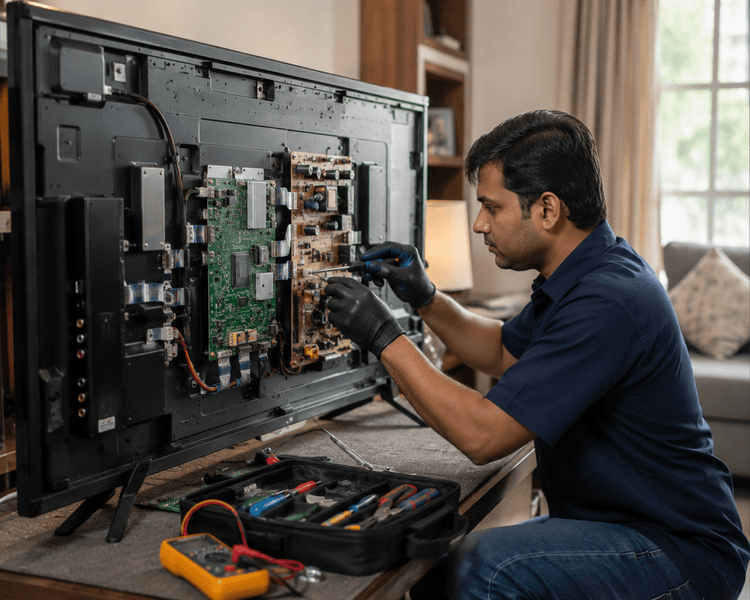
A Sony Bravia TV with sound but no picture can seem like a major failure, but the cause is often limited to a specific repairable component. A failed LED backlight, T-Con board fault, or another internal issue can leave the screen dark while the sound continues normally.
The torch test is a useful first check and can help you understand whether an image may still be present behind the dark display.
For Sony Bravia TVs showing sound without a visible picture in Pune or Pimpri-Chinchwad, Wisdom Electronics & Computers provides doorstep fault checking, same-day repair for many common problems, model-appropriate replacement parts selected for your TV model and repair needs, and a 1-year warranty on eligible repairs.
Our founder’s 17 years at a Sony Authorised Service Centre give our team extensive practical experience with Sony Bravia televisions and their component-level faults.
Still no picture on your Sony Bravia? Our technicians are ready to inspect your Sony Bravia at your doorstep in Pune and Pimpri-Chinchwad, with same-day service available for many common repair issues.
For Sony TV repair in Pune and Pimpri-Chinchwad, call or WhatsApp us at +91 9765536767.
If your Sony Bravia is also experiencing a black screen, you can read our detailed guide about Sony Bravia black screen problems and repair options. If the display is showing lines on the screen, our Sony Bravia lines-on-screen repair guide can help you understand the possible causes.
For complete Sony TV repair in Pune and Pimpri-Chinchwad, you can also visit our Sony TV repair service page.